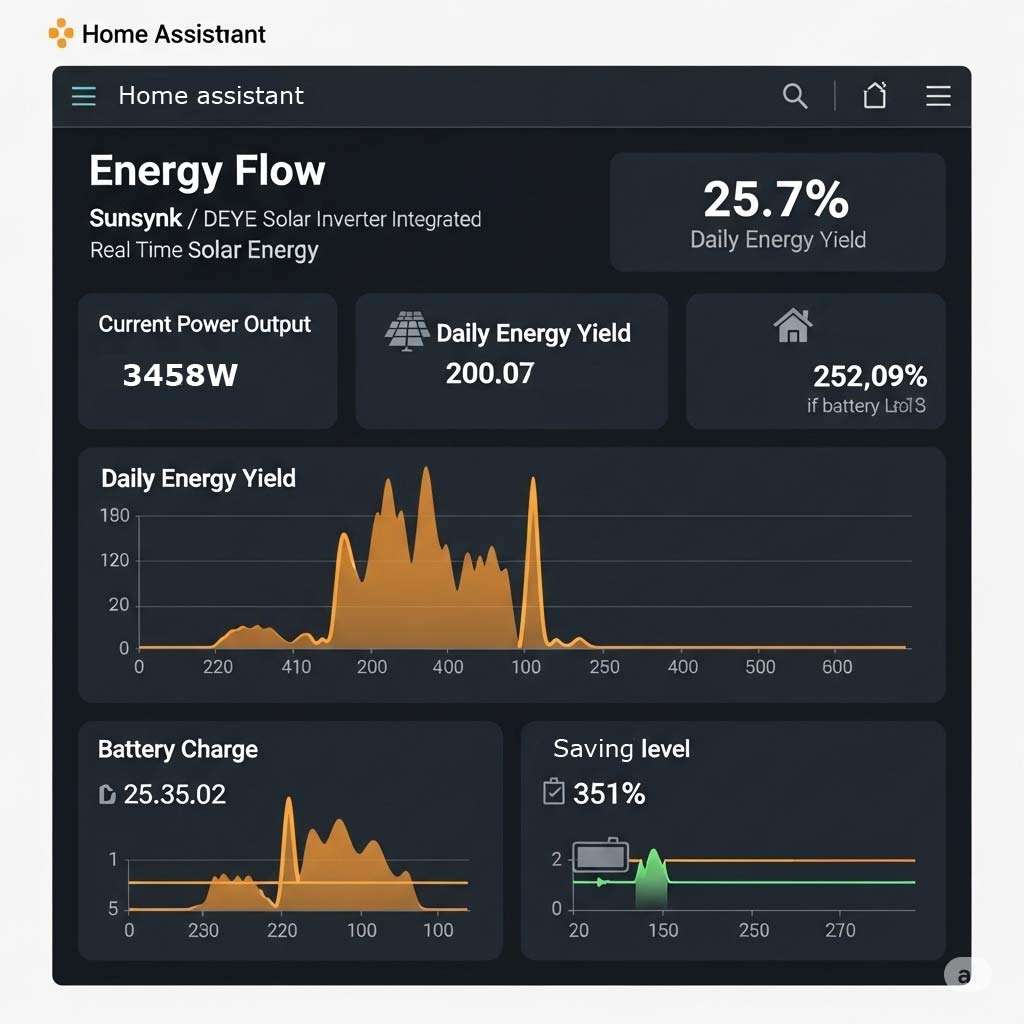
As electricity prices fluctuate and home energy systems become more complex—combining solar panels, hybrid inverters, battery storage, and electric vehicles—the demand for real-time energy data has exploded. Modern households no longer want monthly estimates or delayed utility portal updates. They need a robust, live-data engine that shows exactly where every watt is going right now, directly from inside the home.
While proprietary solar apps offer basic charts, they often lack granular control, depend entirely on third-party cloud servers, and fail to talk to other smart devices in your home. This is where a dedicated Home Assistant Energy Controller takes over.
The Demand for Live Energy Data
Understanding your energy profile is the first step toward reducing costs. A sudden spike in grid consumption, an underperforming solar array, or a battery discharging at the wrong tariff rate can cost hundreds of pounds over time.
Having a dedicated local monitor gives you:
- Zero-Delay Live Metrics: Track generation, house load, grid import/export, and battery state-of-Charge (SoC) in real time rather than waiting for cloud servers to refresh.
- Historical Precision: Analyze usage trends down to the second, allowing you to accurately size future battery upgrades or optimize night-rate EV charging.
- Complete Cloud Independence: Your energy tracking keeps working locally even if your internet connection drops or a manufacturer’s cloud service goes offline.

Why Choose Home Assistant for Solar Monitoring?
Home Assistant has established itself as the gold standard for home automation and energy management. Its native Energy Dashboard provides an intuitive breakdown of your entire energy flow—from panel generation and battery cycling to grid export and individual appliance tracking.
Unmatched Flexibility & Protocol Support
Proprietary energy monitors lock you into single-brand ecosystems. Home Assistant acts as a universal bridge, natively communicating via MQTT, Modbus, HTTP APIs, and local network protocols. Whether you are measuring generation with clamp meters like Shelly EM, polling a hybrid inverter directly, or monitoring smart plugs on individual appliances, all data aggregates into a unified control interface.
Intelligent Automated Surplus Routing
Monitoring is only half the battle; automated control is where the true financial savings happen. With Home Assistant, you can construct custom rules that automatically act on solar surplus:
- Trigger high-draw appliances (immersion heaters, hot tubs, or heat pumps) only when grid export exceeds a set threshold.
- Automatically pause EV charging if household power consumption spikes.
- Shift battery storage charging to cheap off-peak overnight tariffs during winter months.

Pre-Configured & Plug-and-Play: Ready Out of the Box
Setting up a dedicated home server, configuring operating systems, and building MQTT brokers from scratch can be daunting. To solve this, RenewSolar provides fully pre-configured Home Assistant Hubs.
We handle the bare-metal installation, system optimisations, and software setup so that your unit arrives ready to deploy. Simply connect the hub to your local network, attach your energy measurement hardware, and instantly access your live energy dashboard. It brings commercial-grade hardware reliability and enterprise-level software directly to your home without the setup friction.
Dedicated Monitoring Systems & Portable Displays
To complement our pre-configured Home Assistant hubs, RenewSolar designs and builds dedicated energy monitoring systems and standalone portable data displays.


Optional configuration and display types up to 7.2" displays, and our common 3.5" full colour display - USB chargeable battery options or plug in..displays what data you want.
Designed and built in house at RenewSolar.
These custom display units allow key energy metrics—such as current solar output, net grid import/export, and battery reserve—to be displayed visually anywhere in your home, on a desk, or mounted on a wall without needing to open a smartphone app or log into a web browser.
Key Display System Features:
- Glanceable Live Dashboard: Clear visual feedback on whether you are importing or exporting power at any given second.
- Global or Local Network Visibility: Access your system state securely via the internet while away, or run entirely on independent local-network systems isolated from external internet requirements for maximum security and privacy.
- Low-Power Continuous Operation: Designed for 24/7 continuous operation with negligible energy consumption.
Take Control of Your Energy
Whether you are looking to audit your daily consumption, eliminate stand-by power drain, or build an advanced solar-surplus routing network, a dedicated, locally hosted Home Assistant controller provides the ultimate platform.
Explore our pre-configured Home Assistant Controllers and dedicated monitoring hardware at RenewSolar Or Contact us for a custom system and complete set up.

lenovo-home-assistant
Home assistant (HA) server/HUB brings automation and monitoring for your solar and more.
Ready to go forward:
Configuration and custom system available (extra cost) so it is ready out of the box.
One response
Hi Guys.
This system is NOT locked. This means to can add features yourself and grow the system as you need to.
They hubs are refurbished hardware and we install the software and make configurations so that they are usable.~
HA can be difficult to install and configure as it has a big eco-system all of its own.
While the base unit can be purchased we do offer configurations (pre installs) so that the system is more “out of the box” ready for use.
Remote world access is not enabled by default.
Can be used for “more than solar”. add what you want, CCTV feeds, tapi, smart home. Most things will integrate into the system that you may have 100 apps for. this just makes it easy..
Why?
If you have a vendor system, they you have an app, and network link to them, youre also reliant on their servers, and on going support. – and maybe the data/control risk may be a concern, but generally due to the data delays and because a lot of people have a lot of different hardware that is best to all be in one place. – easy to follow, customisable.
Why make things harder than they need to be?